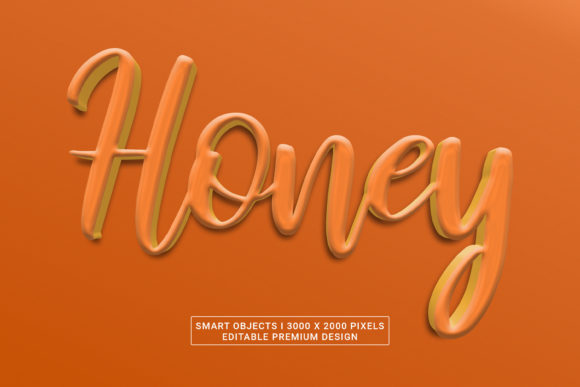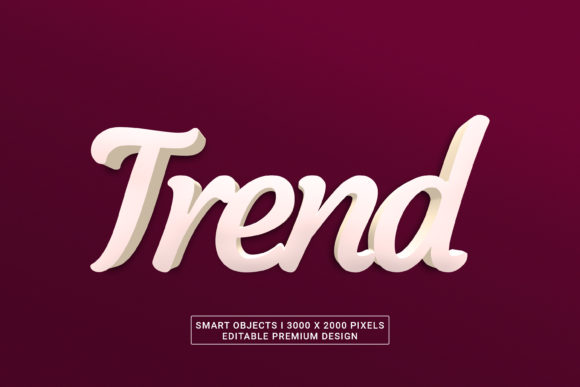
Unlocking Visual Impact: A Deep Dive into PSD Text Effects
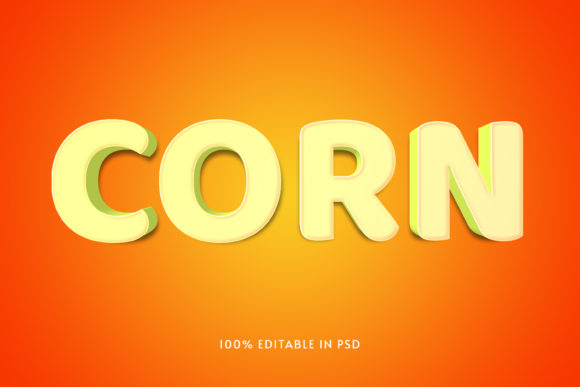
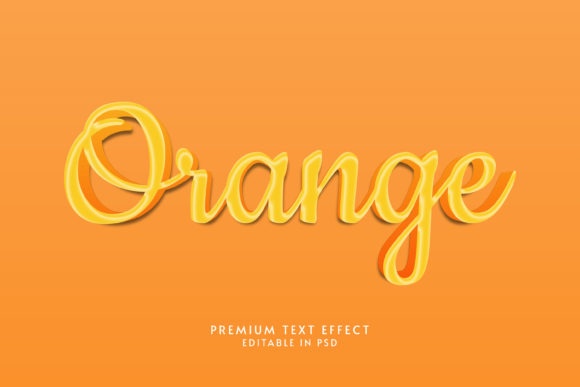
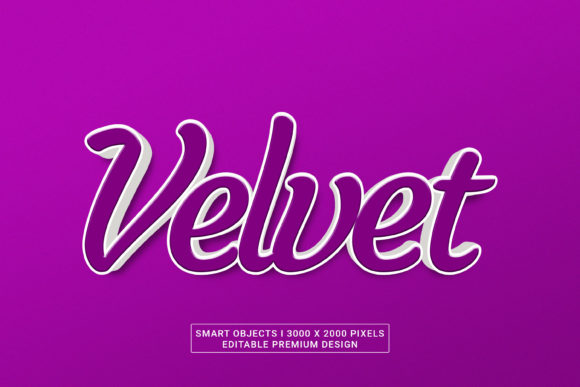
In the fast-paced world of digital content creation, the difference between a design that captures attention and one that is scrolled past often comes down to typography. It is not merely about choosing a font; it is about how that font interacts with light, shadow, texture, and depth. This is where PSD Text Effects become an indispensable asset for creators ranging from social media influencers to seasoned graphic designers. These effects transform flat letters into tangible, three-dimensional objects that command respect and curiosity.
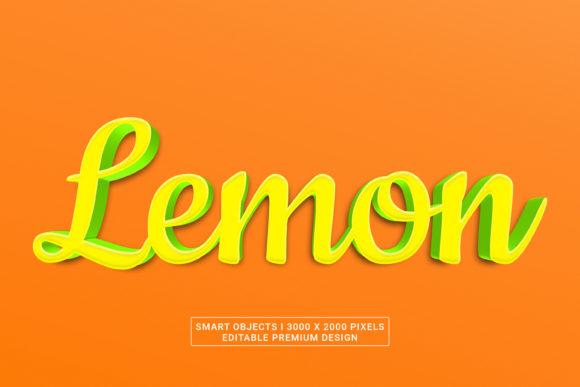
Understanding the mechanics behind these visual wonders requires looking beyond the surface. When we discuss 3000 x 2000 pixels high-resolution assets, we are talking about precision. In an era where screens range from mobile devices to massive 4K monitors, clarity is non-negotiable. A text effect that looks crisp on a laptop screen but pixelates on a smartphone display fails its primary purpose. Premium designs address this by utilizing Smart Objects, ensuring that the integrity of the image remains intact regardless of the output size or medium.
The Anatomy of High-Resolution Typography
At the core of professional typography lies the concept of resolution. Standard web graphics often operate at 72 DPI (dots per inch), which is sufficient for screens but disastrous for print or large-format displays. The premium Adobe Photoshop CC 2022 ecosystem allows designers to work with files that maintain quality at 300 DPI. This distinction is vital for anyone producing materials that might transition from digital to physical formats.
PSD Text Effects leverage this high resolution to create textures that mimic real-world materials. Imagine a metallic logo that catches the light just like aluminum, or a wooden sign that shows the grain of the timber. These are not static images; they are dynamic compositions built within the software's rendering engine. By setting the canvas to 3000 x 2000 pixels, the designer ensures that every curve and edge retains its sharpness. This level of detail allows for:
- Crisp Edges: No jagged lines when scaling up for billboards or banners.
- Rich Gradients: Smooth transitions in color that simulate complex lighting environments.
- Texture Depth: Realistic surface details that add weight and presence to the lettering.
When you download a file described as having High Resolution Smart Objects, you are essentially getting a modular toolkit. Instead of a flattened image that is difficult to edit, you receive layers that can be manipulated independently. This flexibility is what separates amateur attempts from professional-grade designs.
Why Editable Layers Matter
The power of the PSD format lies in its layer organization. Unlike JPEGs or PNGs, which lock all elements into a single plane, a well-structured PSD file keeps your text, background, shadows, and highlights separate. This means you can change the wording without losing the artistic style. You can swap the material from gold to glass, or alter the angle of the light source, all while preserving the underlying structure of the effect.
This editability is crucial for businesses that need consistency across various campaigns. A marketing team might use the same PSD Text Effect for a Facebook ad, an email header, and a printed flyer. With Smart Layer organization, the creative director can update the copy once, and the changes propagate through the entire project instantly. This workflow saves hours of manual labor and reduces the risk of human error.
Navigating the Features of Modern Design Tools
To fully appreciate the capabilities of these effects, one must understand the software environment that brings them to life. Adobe Photoshop CC 2022 introduced several advancements that make creating and editing text effects more intuitive than ever before. The integration of 3D capabilities has been streamlined, allowing users to extrude text, apply realistic materials, and render scenes with minimal technical knowledge.
However, the true value of a premium template lies in its Free Font usage and accessibility. Many high-end designs rely on obscure or expensive typefaces that limit their usability. Premium resources often include links to open-source alternatives or bundle free fonts that match the aesthetic perfectly. This ensures that the final result looks professional without requiring a license purchase for a specific commercial font.
Consider the following features that define a top-tier PSD Text Effect:
- Non-Destructive Editing: Changes are applied via adjustment layers, meaning the original text remains untouched and reversible.
- Realistic Lighting: Advanced settings allow for the simulation of global illumination, casting soft shadows and reflections that ground the text in a scene.
- Customizable Materials: Users can easily swap out textures, such as changing a "fire" effect to "ice," simply by replacing the smart object layer.
- Responsive Dimensions: While the base file is 3000 x 2000 pixels, the smart objects scale proportionally, maintaining aspect ratios and preventing distortion.
Practical Applications for Creators and Businesses
Who benefits most from investing time in mastering PSD Text Effects? The answer spans a wide spectrum of professionals. For the general consumer, these tools offer a way to personalize content for social media platforms. A birthday invitation, a wedding announcement, or a travel blog header can look significantly more polished with a touch of 3D typography.
For business owners, the stakes are higher. Your brand identity is often communicated through your visual language. Using generic clip art or low-quality text can undermine the trustworthiness of your company. By utilizing editable and free font templates, small business owners can create marketing materials that rival those produced by large agencies. Whether it is a product launch banner, a sale poster, or a YouTube thumbnail, the impact of high-quality text cannot be overstated.
Online creators and content marketers also find immense value here. In a feed saturated with content, a visually striking headline stops the scroll. A 3D PSD text effect adds a layer of sophistication that signals effort and quality to the audience. Furthermore, because these files are often editable, creators can A/B test different styles quickly. They can try a bold, metallic look for one campaign and a sleek, neon style for another, measuring engagement without needing to hire a designer for each variation.
Real-World Scenarios
Let us examine a few scenarios where these effects shine:
The E-Commerce Launch: An online store needs to promote a new line of sneakers. They need a hero image that pops. By using a 3000 x 2000 pixel PSD with a dynamic, motion-blurred text effect, the product feels energetic and modern. The Smart Objects allow them to easily swap the shoe model name if the collection expands.
The Event Invitation: A music festival organizer wants to create a digital flyer. They choose a grunge-style PSD Text Effect that conveys the raw energy of rock music. Because the layers are organized, they can add the date, time, and venue details without disrupting the gritty texture of the main title.
The Corporate Presentation: A startup founder is pitching to investors. The slides need to look authoritative yet innovative. A clean, minimalist 3D text effect with subtle gradients provides a sense of stability and forward-thinking vision. The high resolution ensures the presentation looks sharp even on a projector in a large boardroom.
Evaluating Suitability and Managing Expectations
While PSD Text Effects are powerful, they are not a magic wand. Understanding their limitations is key to successful implementation. First and foremost, these files require Adobe Photoshop or compatible software. If your team does not have access to the Creative Cloud, alternative solutions may be needed. Additionally, while the templates are editable, they do require a basic understanding of the software interface to navigate the layers effectively.
Another consideration is the learning curve. Although the files are designed to be user-friendly, manipulating 3D properties and lighting settings can take practice. It is important to approach these tools with patience. Start by simply changing the text, then gradually experiment with colors and materials. Do not expect to achieve a masterpiece in minutes if you are unfamiliar with the toolset.
Furthermore, context matters. A flashy, heavy 3D effect might work perfectly for a video game trailer but could appear unprofessional for a legal firm's annual report. Always evaluate the purpose of the design. Does the effect enhance the message, or does it distract from it? The best designs are those where the typography supports the content rather than overshadowing it.
Conclusion: Elevating Your Visual Storytelling
The journey from flat text to compelling visual storytelling begins with the right tools. PSD Text Effects represent a bridge between imagination and execution, offering a flexible, high-quality solution for a diverse array of users. Whether you are a professional designer looking to streamline your workflow or a business owner wanting to elevate your brand's image, these assets provide the foundation for success.
By leveraging High Resolution Smart Objects, 3000 x 2000 pixels of clarity, and the robust capabilities of Adobe Photoshop CC 2022, you ensure that your work stands out in a crowded digital landscape. The ability to use free fonts and maintain smart layer organization makes these resources accessible and practical for everyone. As you explore the possibilities of 3D typography, remember that the goal is not just to create something that looks good, but to communicate your message with clarity, impact, and professionalism.
In the end, the most effective design is one that serves its audience. By integrating these advanced text effects into your projects, you are not just adding decoration; you are enhancing communication. Embrace the technology, experiment with the layers, and watch your ideas come to life in stunning detail.